
Download Background Changing Application – Wallpaper Changer, Desktop Enhancement, Custom Backgrounds
Overview
The Background Changing Application is a practical utility designed to enhance the desktop experience by automating wallpaper updates. It allows users to maintain a dynamic and visually engaging workspace without manual intervention. By selecting specific folders containing images, users can create a curated collection of backgrounds that change at set intervals. This functionality is particularly useful for individuals who value visual variety and personalization in their digital environment. The app addresses the common issue of static desktops that can become monotonous over time, offering a solution that is both efficient and user-friendly.
Target users include desktop enthusiasts, remote workers, and anyone seeking to personalize their computing experience. The application is ideal for users who enjoy curating visual content and want to ensure their workspace reflects their mood or interests. It also appeals to those who prioritize system performance, as the app includes built-in resource management features. Although the developer did not provide additional background information, the app’s long-standing presence since its release on March 12, 2008, suggests a stable and reliable foundation. Its continued relevance in the digital workspace ecosystem highlights its enduring utility as a lightweight yet effective tool.
Real-world use cases include daily wallpaper rotation for creative professionals, seasonal theme changes for home office setups, or rotating personal photos to maintain a sense of connection. The app’s ability to filter out large image files based on user-defined criteria further enhances its practicality, especially on systems with limited resources. Overall, the Background Changing Application serves as a valuable addition to any desktop setup, offering both aesthetic and functional benefits.
Key Features & Functionality
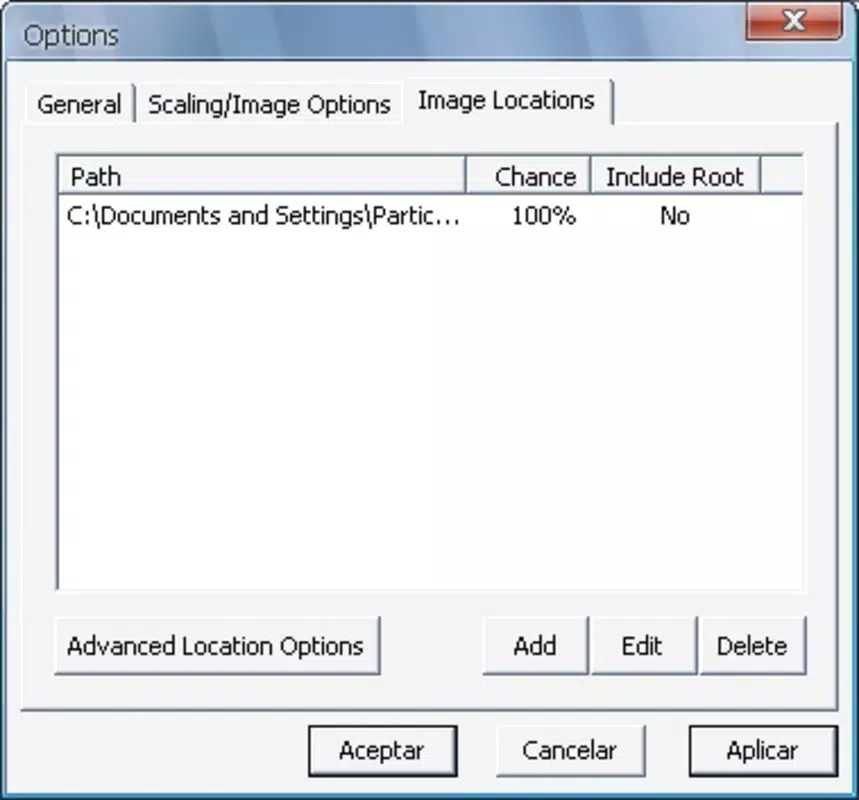
- Random Wallpaper Selection: Users can designate multiple folders filled with images, and the app will randomly select one to set as the desktop wallpaper. This feature ensures a fresh visual experience without requiring user input, ideal for those who want variety without effort.
- Customizable Selection Probability: The application allows users to assign higher selection likelihoods to specific images or folders. This enables favorites to appear more frequently, giving users personalized control over their visual environment.
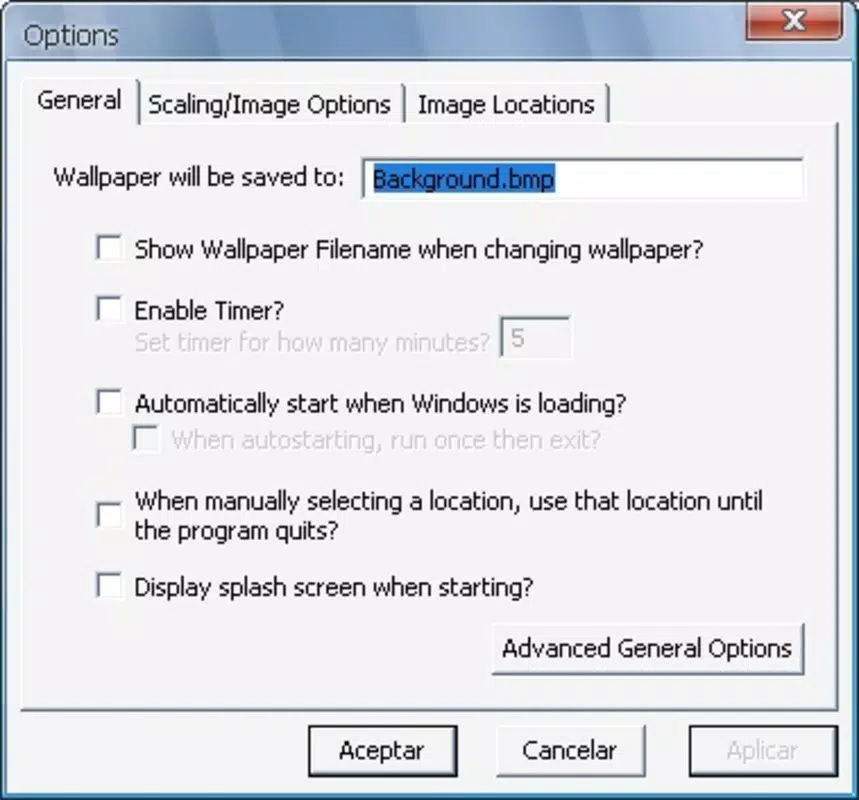
- Frequency Control: Users can define how often the wallpaper changes—whether every hour, daily, weekly, or at custom intervals. This flexibility accommodates different preferences and lifestyles, from high-frequency updates for dynamic users to infrequent changes for minimalists.
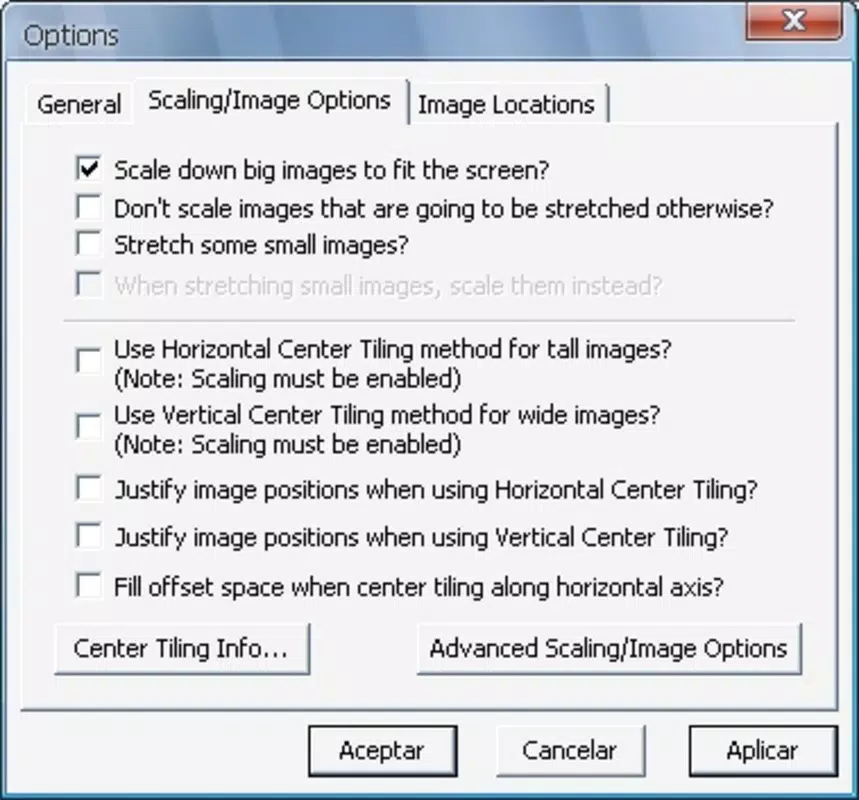
- Resource Consumption Filters: For performance-conscious users, the app includes a filtering mechanism that excludes large image files based on user-defined size thresholds. This helps maintain system responsiveness while preserving visual quality.
For example, a creative designer might use this app to rotate through a collection of artwork every few hours, keeping inspiration flowing. A remote worker could set a daily change to reflect different moods or seasons. The ability to prioritize smaller files ensures the app runs smoothly even on older or lower-spec systems. These features collectively contribute to a seamless, customizable experience that enhances both productivity and personal satisfaction.
Interface, UX & Performance
The application features a clean and intuitive interface designed for straightforward navigation. Users can easily access folder management, selection settings, and frequency controls through a well-organized menu system. The visual layout emphasizes clarity, with clearly labeled options and minimal clutter, making it accessible to users of varying technical skill levels.
Navigation is linear and predictable, allowing users to configure their wallpaper preferences in a few simple steps. The app’s responsiveness appears consistent across different device categories, though the developer did not list formal performance metrics. Although specific requirements were not listed, the app’s lightweight nature and resource filtering suggest optimized operation even on older hardware.
Stability is maintained through efficient background processing, minimizing interference with other running applications. The app runs quietly in the system tray or background process, consuming minimal CPU and memory. This ensures that users experience smooth performance without noticeable lag or system slowdowns. Overall, the user experience is streamlined and focused on functionality, aligning with the expectations of a utility tool designed for long-term use.
Platform Compatibility & Technical Requirements
The Background Changing Application is designed for desktop platforms, with a release date of March 12, 2008. The developer did not specify minimum OS requirements or the exact version of the operating system. The file size of the application is not disclosed in the provided information.
Compatibility details were not fully disclosed, so users should exercise caution when installing on newer systems. The absence of updated technical specifications may affect performance on modern operating environments. However, the app’s long-standing presence suggests it has been adapted to work across multiple generations of desktop software. Users are advised to verify system compatibility before installation, especially if using recent versions of Windows or other supported platforms.
Pros and Cons
Pros
- Automates wallpaper changes for a dynamic desktop experience
- Supports multiple image folders for diverse content selection
- Allows customization of selection frequency and probability
- Includes resource management features to reduce system load
- Simple, intuitive interface suitable for non-technical users
Cons
- Developer did not provide detailed system requirements
- File size and version details were not disclosed
- Compatibility with modern operating systems is uncertain
- No official updates or support information available
- Platform availability beyond desktop is not confirmed
FAQ
Is the Background Changing Application safe to download and install?
The app is available for download as a standalone executable, but the developer did not provide security certifications or digital signatures. Users should ensure they download from trusted sources and scan the file with up-to-date antivirus software before installation.
Can I use this app on my current operating system?
Compatibility information was not fully disclosed. While the app has been available since 2008, its performance on modern systems may vary. Users are advised to check system specifications and consider running the app in compatibility mode if needed.
Does the app support both Windows and macOS?
The platform availability was not specified. The app is known to function on desktop systems, but support for specific operating systems such as macOS or Linux was not confirmed.
How often can I change my desktop wallpaper using this app?
Users can set the frequency of wallpaper changes to any interval, including hourly, daily, or custom schedules. The app allows flexible timing based on user preferences.
Is the app free to use?
The provided information does not include pricing details. Users should verify the cost or licensing model before downloading, as the app may be available in both free and paid versions.
Final Thoughts
The Background Changing Application remains a reliable utility for users seeking to personalize their desktop environment with minimal effort. Its core features—random selection, customizable frequency, and resource optimization—deliver tangible benefits for both casual users and power users alike. While the lack of updated technical details may raise concerns about compatibility, the app’s enduring presence suggests a stable foundation.
Those who value visual variety, system efficiency, and long-term usability will find the app particularly valuable. It strikes a balance between simplicity and functionality, making it an excellent choice for anyone looking to enhance their desktop experience without overcomplicating their workflow.
Download Background Changing Application now


